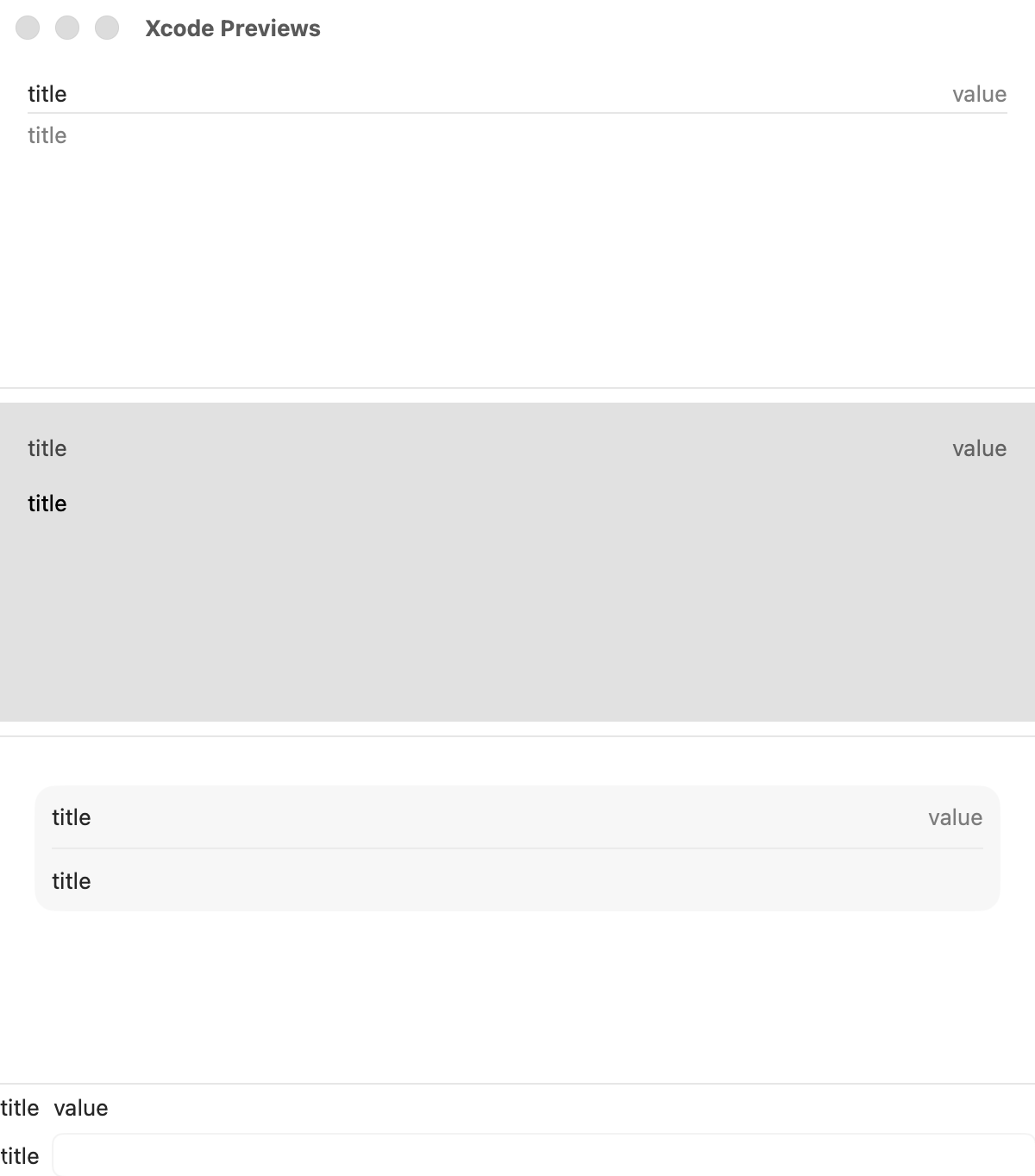
先说结论,如果要在 macOS 上显示表单数据和进行表单操作的话,推荐使用 Form,而不是 List。
具体效果可参考下面代码:
1
2
3
4
5
6
7
8
9
10
11
12
13
14
15
16
17
18
19
20
21
22
23
24
25
26
27
28
29
30
31
32
33
34
35
36
37
38
| struct FormVSList: View {
@State private var enterText: String = ""
var body: some View {
VStack {
List {
LabeledContent("title", value: "value")
TextField("title", text: $enterText)
}
Divider()
List {
LabeledContent("title", value: "value")
TextField("title", text: $enterText)
}
.listStyle(.sidebar)
Divider()
Form {
LabeledContent("title", value: "value")
TextField("title", text: $enterText)
}.formStyle(.grouped)
Divider()
Form {
LabeledContent("title", value: "value")
TextField("title", text: $enterText)
}
}
.frame(height: 650)
}
}
|
参考:
- 小册子之 Form、Picker、Toggle、Slider 和 Stepper 表单相关 SwiftUI 视图
- SwiftUI基础篇Form